Table of Contents
- Why Proper Artwork Matters for Custom Awards
- How to Submit Artwork to Hodges Badge Company
- What File Types Should You Use?
- Vector Artwork Is Preferred
- What Is 300 DPI and Why Does It Matter?
- How to Submit Artwork - Black-and-White
- Avoid Shadows, Gradients and Shading
- How to Submit Artwork - Multicolor
- What About PMS Colors?
- How to Submit Artwork - Photographs
- Why Shouldn't You Crop Your Photo?
- Artwork Requirements for Vinyl Banners
- What Happens If My Artwork Isn't Ready?
- How to Avoid Artwork Charges and Production Delays
- Ready to Submit Your Artwork?
- FAQs
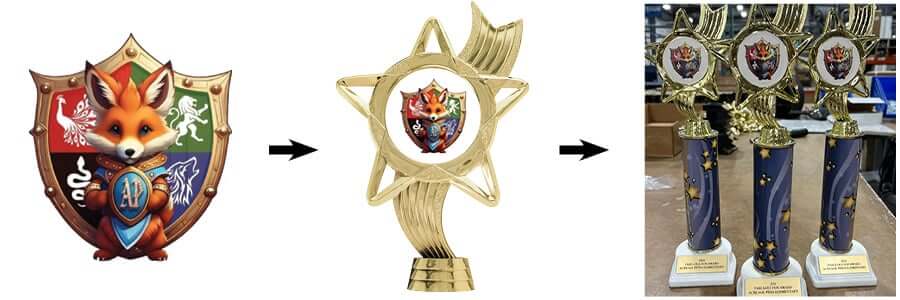
When you're ordering custom awards, ribbons, rosettes, medals, trophies, plaques, banners and other personalized products, how to submit artwork is an important part of the process. Whether you're submitting a company logo, school mascot, event emblem, club design or custom graphic, providing the right artwork can help ensure your finished award looks its best.
At Hodges Badge Company, many of our products can be customized with your own logo or design. Our graphics department works with submitted artwork to help prepare it for production, but starting with a high-quality file can make the process faster and help avoid unnecessary artwork charges or production delays.
So, how do you submit artwork for custom awards? The answer depends on how you place your order and what type of product you're purchasing.
In this guide, we'll explain how to submit artwork, which file types work best, how to prepare black-and-white and multicolor artwork, what to know about photographs, and how to make sure your artwork is ready for production.
Why Proper Artwork Matters for Custom Awards
Your artwork may look great on your computer screen, but that doesn't necessarily mean it is ready to reproduce on a ribbon, rosette, medal, plaque, trophy, banner or other award.
Different products require different printing and production methods. Small logos may need to be simplified, so fine details remain visible. Black-and-white designs need crisp, solid lines. Full-color artwork needs sufficient resolution and may require additional space around the image for bleed.
Providing properly prepared artwork gives our graphics team the best starting point possible.
The good news is that you don't have to be a professional graphic designer to order custom awards. If your artwork isn't quite production-ready, our graphics department can review it and, when necessary, provide recommendations for changes. Artwork charges may apply when significant modifications, recreation or retouching are required.
How to Submit Artwork to Hodges Badge Company
There are two primary ways to submit your artwork: directly through the website when placing your order or separately by email.
Option 1: Upload Your Artwork During Your Online Order
If the product you're ordering offers a "Use Custom Design" option, you can upload your artwork directly from the product page.
This is the preferred method for submitting artwork because your design is automatically attached to the product you're ordering and sent to us along with your completed order.
To upload your artwork:
- Select the product you want to customize.
- Choose the "Use Custom Design" option.
- Click the "Upload your design" button.
- Select your artwork file from your computer.
- Click"OK"to upload your design.
- Complete your order.
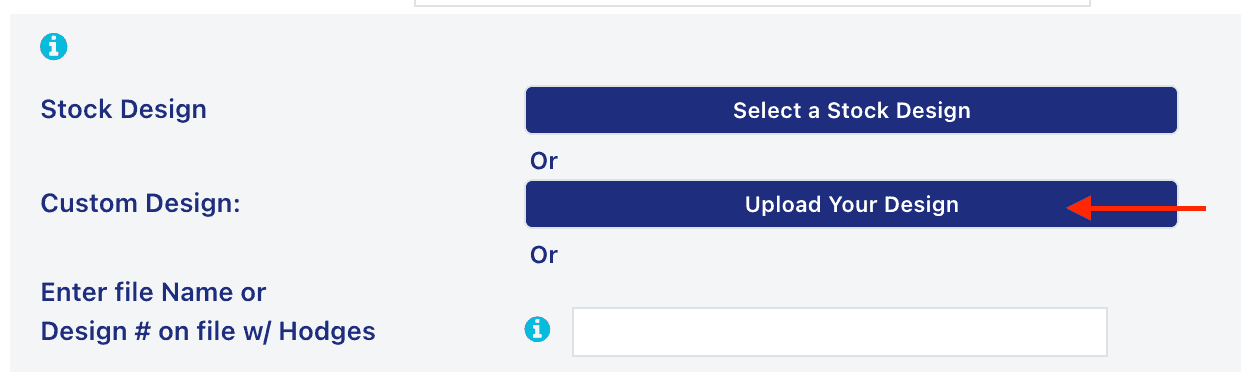 Click on "Upload Your Design"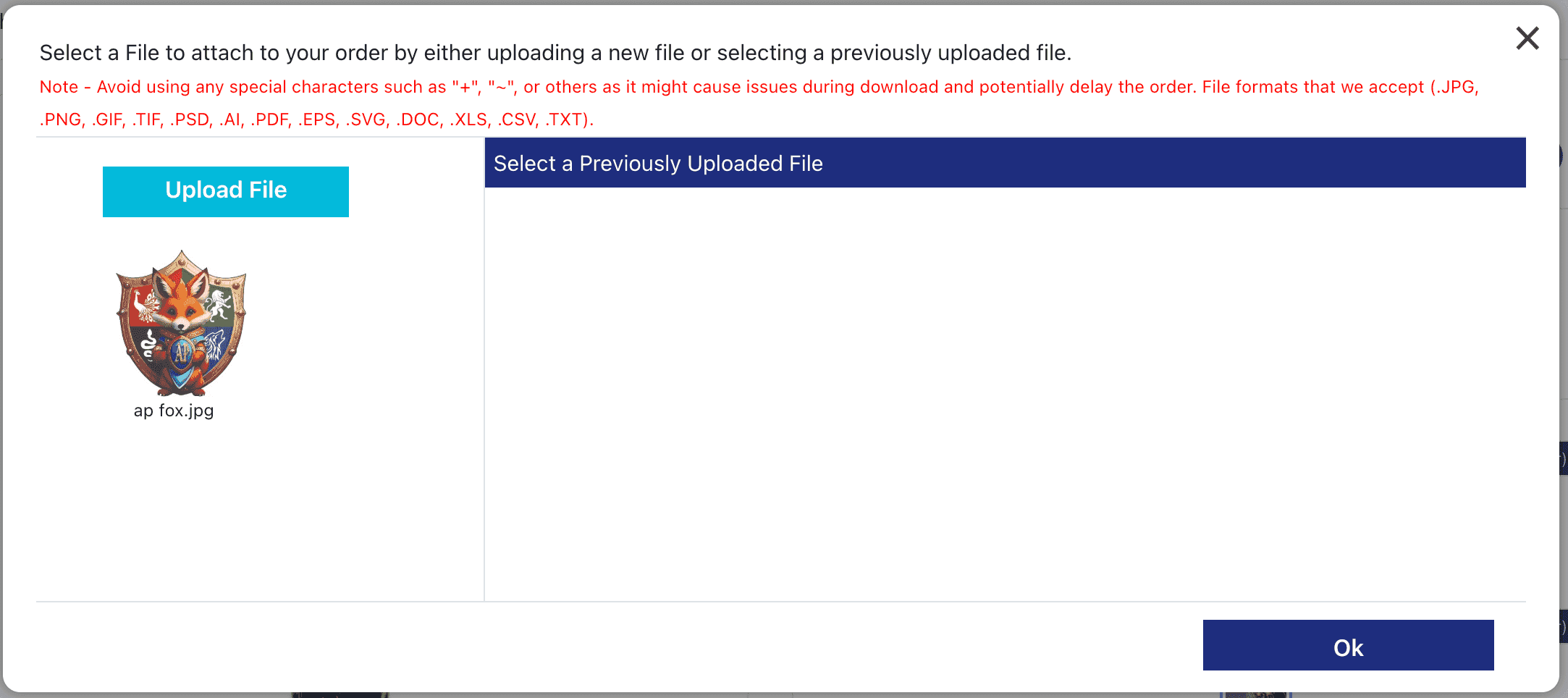
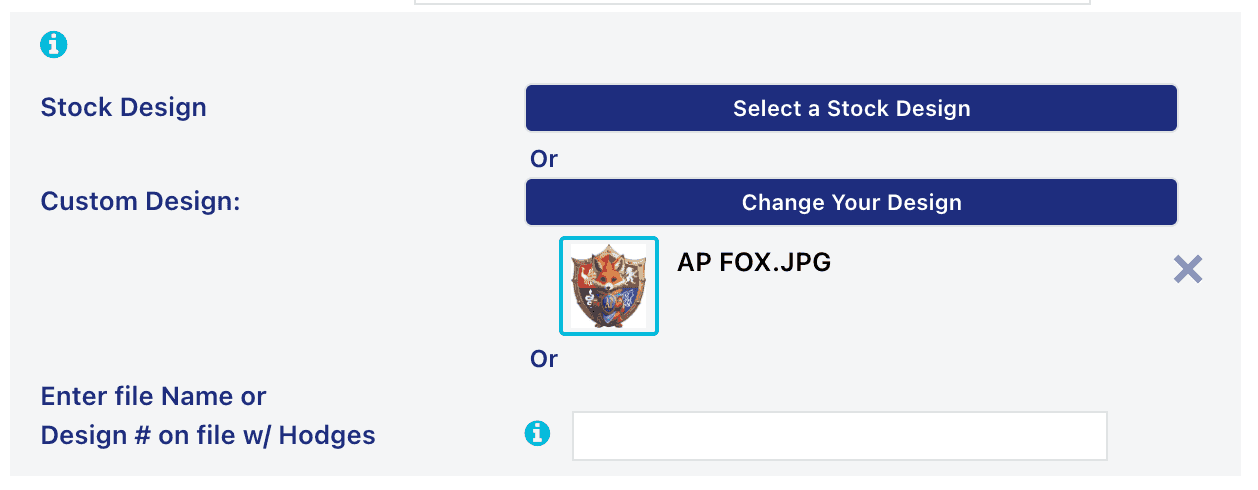 Your artwork has been successfully uploaded
Submitting your artwork at the time you place your order helps keep your design connected to the correct product and order.
Option 2: Submit Artwork by Email
If you've already placed an order online, by phone or through another method, you can also email your artwork separately.
If you are emailing artwork after placing a web order, it is important to place your order first and then submit your artwork. This helps ensure your artwork can be matched with the correct order.
Send your artwork to:
customerservice@hodgesbadge.com
When emailing artwork, include as much of the following information as possible:
- Your name
- Organization name
- ZIP code
- Daytime phone number
- Customer service representative, if known
- Order number
- How the order was placed
- Product or products on which the artwork will be used
Providing this information helps our team identify your order quickly and determine how the artwork should be prepared.
What File Types Should You Use?
Whenever possible, we recommend sending high-quality artwork in a format that can be reproduced cleanly.
Our preferred artwork formats include:
- EPS
- AI
- JPEG/JPG
- TIFF/TIF
For the best results, we prefer artwork at 300 DPI or higher when working with raster images.
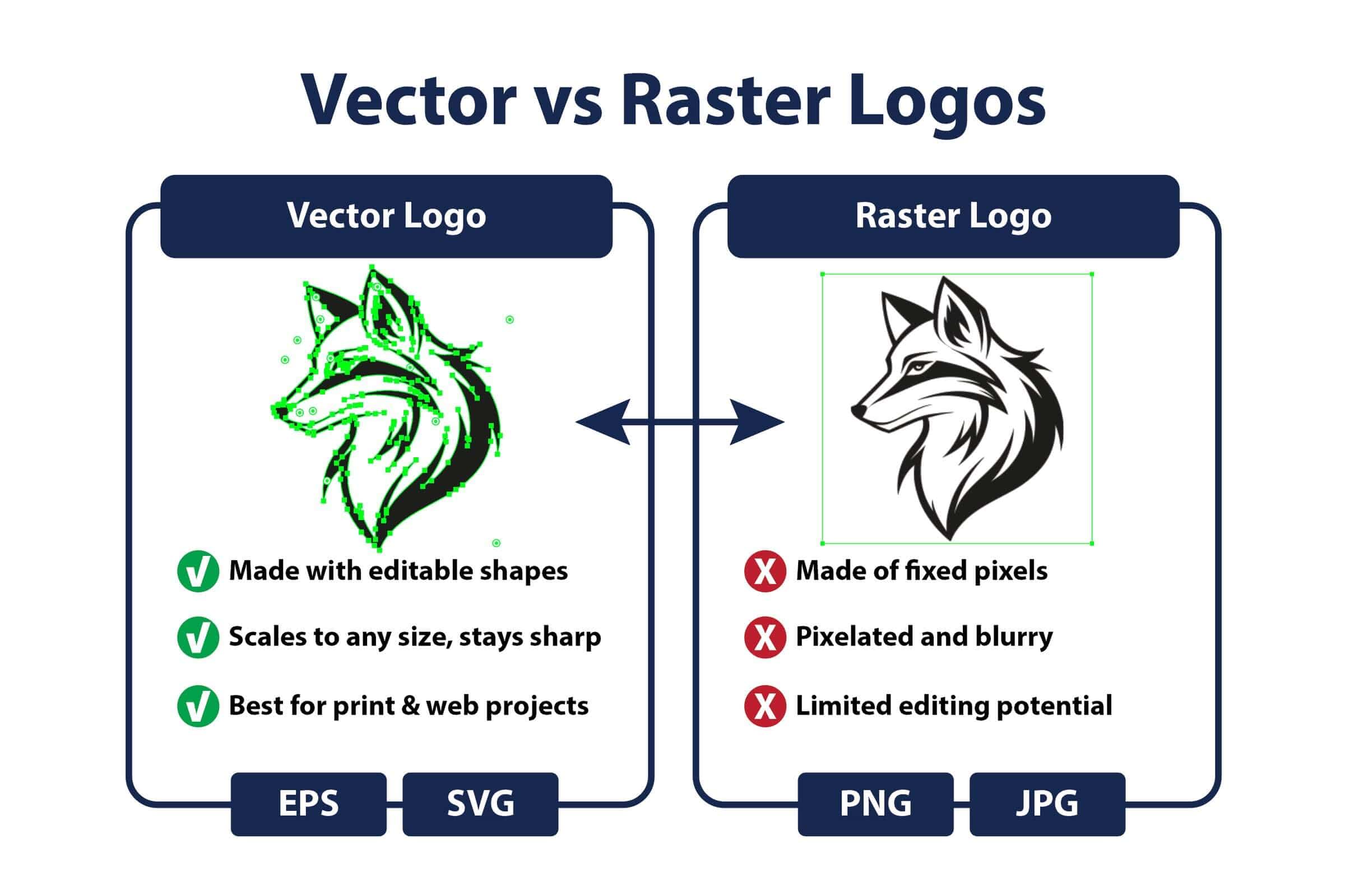
Vector Artwork Is Preferred
Vector artwork is often the best choice for logos, line art and designs because it can be resized without losing image quality.
Common vector file formats include:
- AI
- EPS
- Vector PDF
When submitting vector artwork, fonts should be converted to paths or outlines. This helps ensure that the typography remains consistent and prevents font substitution when the artwork is opened on another computer.
If you have a vector version of your logo, that is generally the best file to provide.
What Is 300 DPI and Why Does It Matter?
DPI stands for dots per inch and refers to the resolution of raster artwork.
A low-resolution image may look acceptable when viewed on a computer or phone, but it can become blurry or pixelated when reproduced on a physical product.
For many types of artwork, 300 DPI is the preferred resolution.
For example, if you're submitting a photograph or raster logo for a custom award, look for the highest-quality version of the file available. Avoid taking a small image from a website or social media profile and enlarging it, as this typically does not create additional detail.
When it comes to artwork, starting with a large, sharp, high-resolution file is always better than trying to improve a small, blurry image later.
How to Submit Artwork - Black-and-White
Black-and-white artwork is commonly used for products such as hot-stamped ribbons, rosettes and sashes, certain rosette centers, rider numbers, engraved products, custom medals and coins, and other applications where a simple design is required.
For these products, artwork should be:
- Clean
- Sharp
- Crisp
- Solid black on a white background
- Free of shadows
- Free of gray or shaded areas
- Free of unnecessary detail
Simple designs generally reproduce better than artwork with extremely fine lines or complicated details.
Avoid Shadows, Gradients and Shading
If you're submitting a black-and-white logo, don't simply convert a multicolor logo to grayscale and assume it is ready for production.
Shadows, gradients and gray areas may need to be removed or recreated.
For the cleanest result, black-and-white artwork should contain clear, solid shapes and lines that can reproduce well at the size of the finished product.
If your artwork requires significant changes to meet these requirements, our graphics department may recommend modifications and provide an artwork charge estimate before proceeding.
How to Submit Artwork - Multicolor
Multicolor artwork is used on many products, including full-color rosette centers, buttons, lapel pins, multicolor ribbons, sashes, banners, medal centers, trophies, plaques, acrylic awards, towels, dog tags and other products.
For multicolor designs, the same basic rule applies: clean, sharp artwork produces better results.
Vector artwork is preferred when available, but it isn't always required.
When submitting a multicolor logo or design, we recommend:
- Sending the highest-quality file available
- Using vector artwork whenever possible
- Sending artwork at or larger than the finished production size
- Providing adequate bleed when artwork includes a background
- Communicating any specific color requirements when placing your order
For example, if your design will be reproduced on a 3-inch button, sending artwork that is at least 3 inches in diameter gives our graphics department a much better starting point than sending a tiny image that must be enlarged.
What About PMS Colors?
If your organization has specific brand colors, you may want to provide PMS color information when placing your order or requesting a quote.
Hodges Badge Company prints in CMYK and uses the Solid Coated and Uncoated PMS Plus Series Formula Guide as a reference. While exact PMS color matching cannot be guaranteed, every effort will be made to achieve a close match.
PMS colors also cannot be matched for certain production methods, including hot-stamped and UV-printed products.
If color accuracy is especially important to your organization, be sure to discuss your requirements with your customer service representative before production begins.
How to Submit Artwork - Photographs
Photographs are frequently used on custom awards and full-color products. Whether you're submitting a photo of a champion athlete, a winning horse and rider, a school mascot or another important image, the quality of the photograph matters.
For the best reproduction:
- Submit a high-quality, high-resolution photograph.
- Use an image that is at least 300 DPI whenever possible.
- Do not crop the photograph before submitting it.
- Choose an image that is clear and sharp.
- Leave some space around the main subject.
- Digital photographs generally reproduce better than printed or scanned photographs.
Why Shouldn't You Crop Your Photo?
It may seem helpful to crop a photograph before submitting it, but leaving additional image area around your subject gives our graphics department more flexibility.
Our team can determine how the photograph should be positioned and cropped to best fit the finished product.
If a photo is already tightly cropped, fitting it into a different product shape may require background recreation or additional artwork.
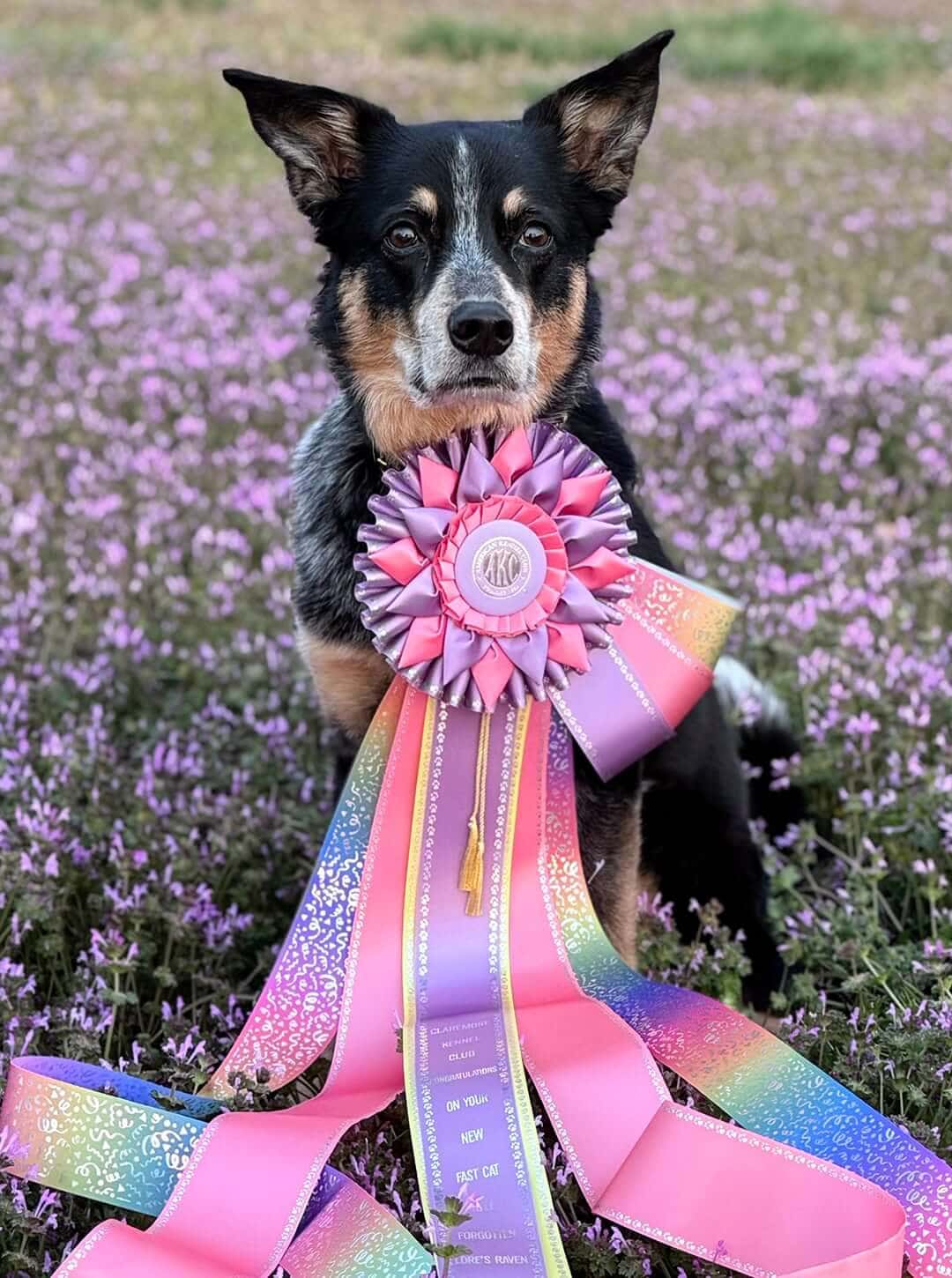 Cropped
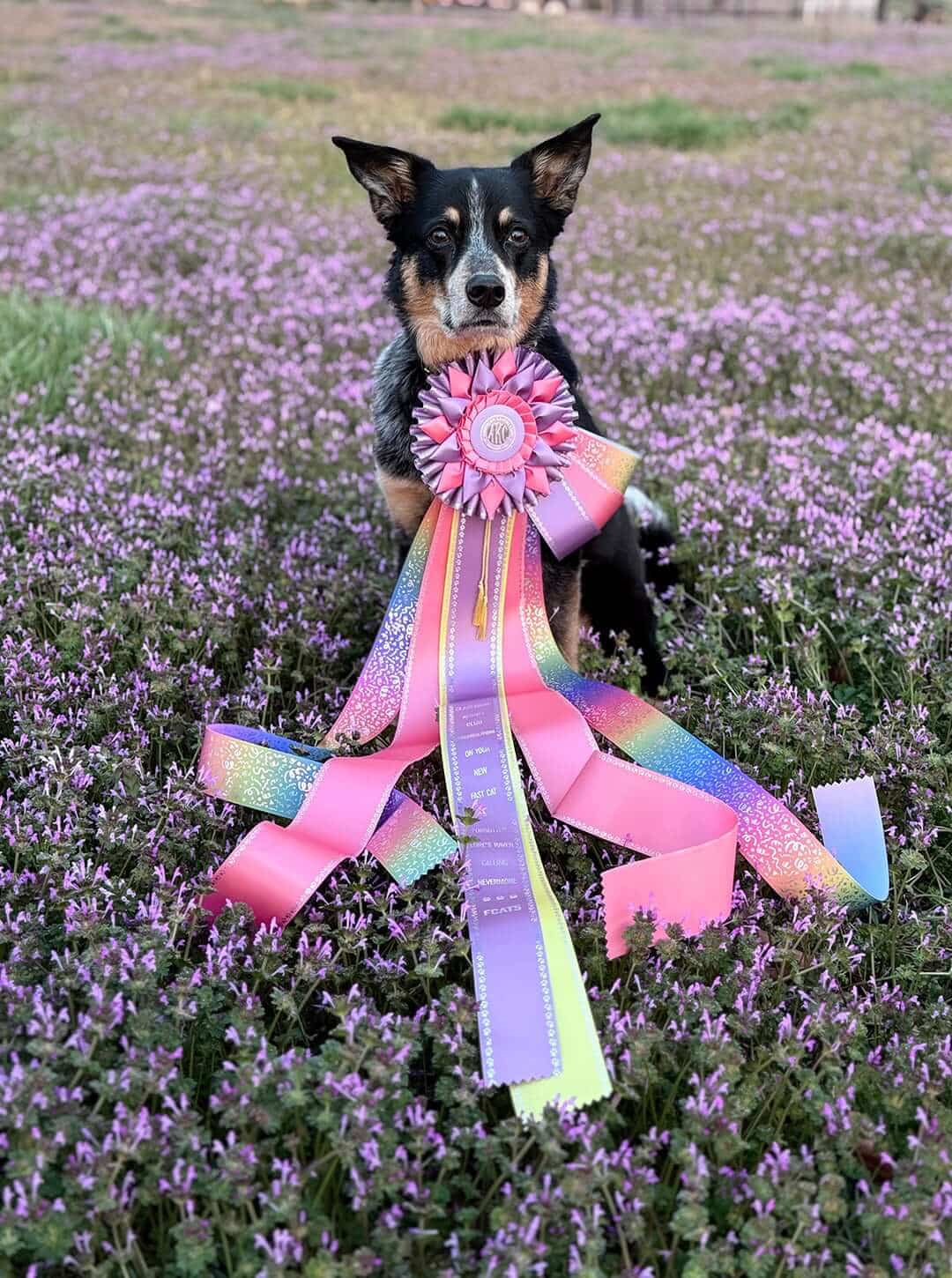 Not Cropped
Artwork Requirements for Vinyl Banners
Vinyl banners have their own artwork considerations because of their large size.
For vinyl banners, artwork should ideally be supplied as vector artwork or at the actual finished size of the banner.
Vector files should be:
- Clean
- Crisp
- Sharp
- Properly prepared
- Converted to outlines or paths when fonts are used
Accepted vector formats include AI, EPS and PDF.
For photographs or other non-vector artwork, high-quality TIF, JPG or PDF files may be used. Photographs cannot simply be converted into true vector artwork, so they should be supplied at the appropriate size and resolution.
If you don't have production-ready banner artwork, our graphics department can review the file and determine what may be required to prepare it for production.
What Happens If My Artwork Isn't Ready?
Don't worry if you're not sure whether your artwork meets the requirements.
Every submitted design is reviewed by our graphics department. If artwork needs to be recreated, cleaned up, converted, retouched or otherwise modified, our team can provide suggestions and, when applicable, an artwork charge estimate.
We will not proceed with suggested changes and applicable charges until they have been approved.
This review process is designed to help ensure your artwork is suitable for the product and production method you've selected.
How to Avoid Artwork Charges and Production Delays
While artwork assistance is available, there are several things you can do to make the process as smooth as possible.
1. Send the Highest-Quality File You Have
Don't send a screenshot of your logo if you have the original vector file.
Look for the original AI, EPS or PDF version of your organization's logo whenever possible.
2. Don't Enlarge Small Images
Making a small image larger does not add detail. Start with the largest, sharpest file available.
3. Convert Fonts to Outlines
If you're submitting vector artwork, convert fonts to paths or outlines before sending the file.
4. Keep Black-and-White Artwork Simple
Remove shadows, gradients, gray areas and unnecessary details when submitting artwork for black-and-white applications.
5. Don't Crop Photographs
Give our graphics team room to determine the best crop and placement for the finished product.
6. Communicate Color Requirements Early
If your logo must closely follow specific brand colors, provide your PMS information when ordering or requesting a quote.
7. Watch for Artwork Approvals
If our graphics department modifies your artwork and sends it to you for approval, responding promptly helps prevent production delays.
Taking a few extra minutes to prepare your artwork correctly can make a significant difference in the ordering process.
Your Artwork Doesn't Have to Be Perfect
One of the most important things to remember when ordering custom awards is that you don't have to be a professional graphic designer to submit artwork.
Whether you're ordering awards for a school, athletic program, dog show, equestrian event, fair, 4-H program, corporate event or recognition ceremony, our team understands that customers have different levels of design experience.
If you have a high-quality logo or design file, send it to us. Our graphics department will review it and determine what is needed to reproduce it on your selected product.
And if you're unsure about your file, don't hesitate to ask.
Ready to Submit Your Artwork?
Submitting artwork for custom awards doesn't have to be complicated. The best place to start is with the highest-quality version of your logo, photograph or design.
Whenever possible, upload your artwork directly with your online order using the "Upload your design" option. If you've already placed your order, you can email your artwork to customerservice@hodgesbadge.com along with your order and contact information.
From ribbons and rosettes to medals, plaques, trophies, banners and more, the right artwork helps bring your custom award to life.
With more than 100 years of experience creating awards, Hodges Badge Company understands what it takes to turn your artwork into a finished product you can be proud to present.
Have questions about how to submit artwork or need help choosing the right award? Contact the Hodges Badge Company team before placing your order. We're here to help make the process as easy as possible.
FAQs
What is the best file format for custom award artwork?
AI, EPS and PDF files are preferred, particularly when they contain vector artwork. High-quality JPG and TIFF files are also accepted. For raster images, 300 DPI or higher is recommended.
Can I submit a JPG or JPEG logo?
Yes. High-quality JPG and JPEG files can be accepted. However, vector artwork such as AI or EPS is preferred when available, especially for logos and designs that need to be resized.
What if my artwork is blurry or low resolution?
Our graphics department will review the artwork and determine whether it can be used as submitted or needs to be recreated or modified. Additional artwork charges may apply if significant changes are required.
Can Hodges Badge help prepare my artwork?
Yes. Our graphics department reviews submitted artwork and can provide recommendations when artwork needs to be modified for production. Artwork charges may apply for certain changes, recreations or retouching.